
Controlled Capture Pro1.3.48 - Google Play
You'll be able to see results in few seconds.
Publisher Description


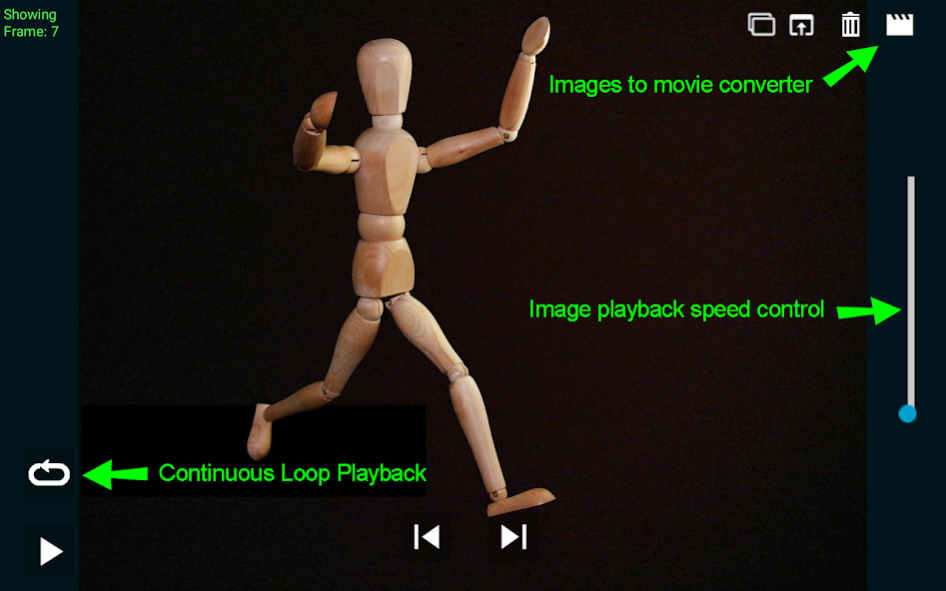

With Controlled Capture, you can capture and slow down nature provided things like a hummingbird flying or capture sports oriented movements like a golf or tennis swing. You can also capture long term events like an evening sunset or the beauty of a flower opening.
Controlled Capture is very useful for golf swing, batting, or tennis serve capture. For example, to capture your golf swing: mount your device to a tripod or golf bag mounted camera holder, situate your mounted camera behind or beside you, start the Controlled Capture application in video capture mode, point or move the camera so that it captures all of you during your swing, set yourself up for the shot
After your swing video is recorded, you can go back to your device to by clicking the Media Player icon in the viewer for review of the video. In the Player, you Delete and Share this newest video. You can also record your swing with Controlled Capture's Slo-Mo movie recorder. Here instead of pressing the Shutter button, press the Snail button instead to record your swing. Controlled Capture will record your swing and then convert the new video into slow motion, allowing you to see details of your swing not seen at regular video speeds.
It is recommended that your SD Memory card be at least 16GB with 4-8GB free to ensure that you have enough space for a long time-lapse session.
Though we test our software thoroughly we know bugs can slip through. If you find a bug, please email us a detailed list of actions that you performed in the application to receive the error. This will allow us to replicate your bug in-house so that we can fix it quickly and provide you an update.
TAGS: Time-lapse, Time lapse, slow motion video, Controlled Capture, Time-Lapse, Slow motion
About Controlled Capture Pro
The company that develops Controlled Capture Pro is Controlled Capture Systems, LLC. The latest version released by its developer is 1.3.48.
To install Controlled Capture Pro on your Android device, just click the green Continue To App button above to start the installation process. The app is listed on our website since 2018-02-05 and was downloaded 0 times. We have already checked if the download link is safe, however for your own protection we recommend that you scan the downloaded app with your antivirus. Your antivirus may detect the Controlled Capture Pro as malware as malware if the download link to com.ControlledCapture.Pro is broken.
How to install Controlled Capture Pro on your Android device:
- Click on the Continue To App button on our website. This will redirect you to Google Play.
- Once the Controlled Capture Pro is shown in the Google Play listing of your Android device, you can start its download and installation. Tap on the Install button located below the search bar and to the right of the app icon.
- A pop-up window with the permissions required by Controlled Capture Pro will be shown. Click on Accept to continue the process.
- Controlled Capture Pro will be downloaded onto your device, displaying a progress. Once the download completes, the installation will start and you'll get a notification after the installation is finished.
Program Details
System requirements
Download information
Pricing
Version History
version 1.3.48
posted on 2018-02-05
Complete re-write of application for Android Oreo.
Fixed bug in Slow motion recording
Fixed bug in Time-lapse
Increased resolution for Slo-mo videos
version 1.3.48
posted on 2018-02-05
Complete re-write of application for Android Oreo.
Fixed bug in Slow motion recording
Fixed bug in Time-lapse
Increased resolution for Slo-mo videos
version 1.3.46
posted on 2014-11-13
Bug fixes all around. Updated Camera libraries for Android 4.4 support. Thank you customers for your reports!,*Note*: May not be compatible with some Android device cameras due to manufacturer or carrier driver changes. This is being worked on. Please contact us if you experience this issue.,Bug fixes. Added support for Android Jellybean. Added algorithms for smoothed Slo-Mo movies. Video files are now saved in .mp4 format. New and Improved user interface.
version 1.3.20
posted on 2013-06-25
Several fixes and updates
Disclaimer
Official Google Play Link
We do not host Controlled Capture Pro on our servers. We did not scan it for viruses, adware, spyware or other type of malware. This app is hosted by Google and passed their terms and conditions to be listed there. We recommend caution when installing it.
The Google Play link for Controlled Capture Pro is provided to you by apps112.com without any warranties, representations or guarantees of any kind, so access it at your own risk.
If you have questions regarding this particular app contact the publisher directly. For questions about the functionalities of apps112.com contact us.
